90% off your first payment on any plan · First 10 members
Monthly, quarterly, six-monthly or yearly — renewals are at the normal price. Enter this code in Settings → Membership when you upgrade: CALREADY90OFF
Start freeNo quiz. No paywall.
Just start logging.
Calories and macros, free for good. When you would rather snap it than type it, membership reads your plate and tells you how sure it is.
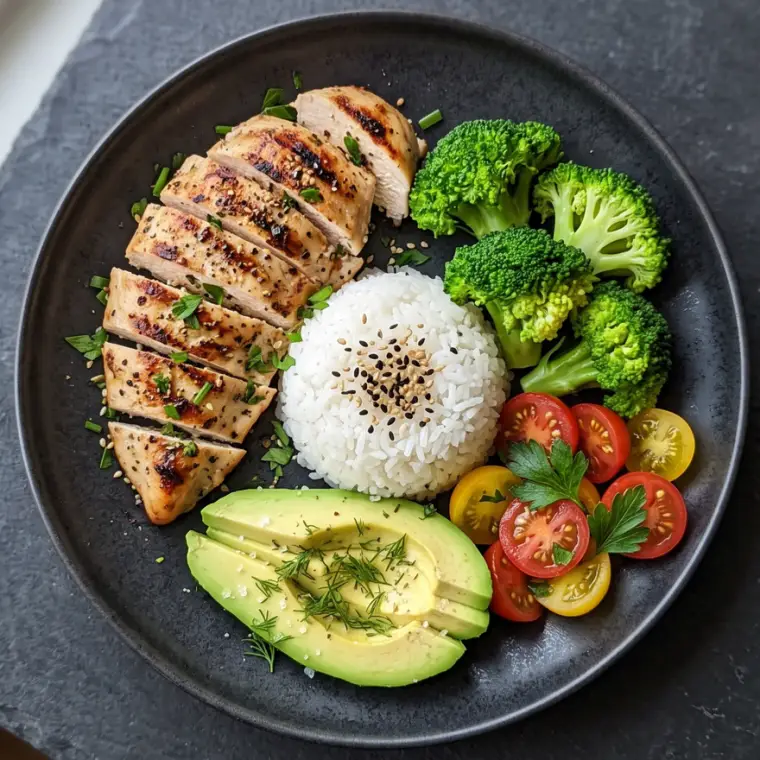
Snap it
One photo — a full plate or a single yogurt. Every food broken out, with grams, calories and macros, and a confidence rating so you know when to double-check.
Or type it in
No photo, or a meal you eat every week? Enter it by hand, one row per food, with the totals adding up as you type.
Hit the number
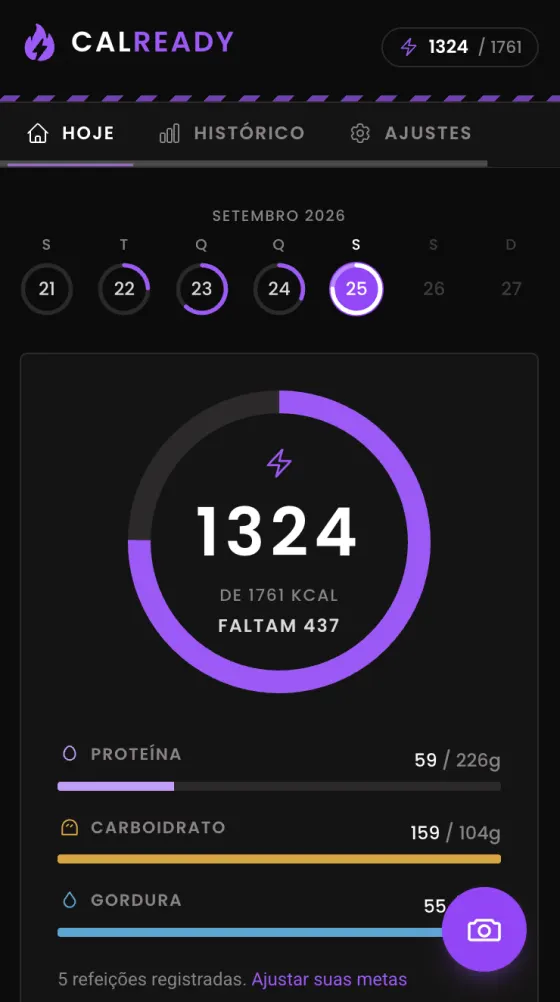
Your targets come from your stats and your training load. Cutting or building — the daily number moves with the goal.
How it works
Three steps, and the second one takes a few seconds.
Set your target
Sex, age, height, weight, how hard you train. Cut, maintain or build.
- Calories and macros worked out for you
- Hitting a weight by a date? Set it
Photograph your food
Before you eat. Add a note if the portion is unusual.
- A full plate or a single yogurt
- Several AI models, cross-checked
Check and log
Adjust anything that looks off, then it lands in your day.
- Change the grams and the macros follow
- Your week, one ring per day
What it costs
Everything except reading a photograph is free, and stays free. The photo estimate is the one thing that costs money every time it runs, so it is the one thing behind a membership.
Free
No card, no trial that quietly ends.
Free
- Log a meal by hand, one row per food
- Describe what you ate and have the rows filled in for you
- Daily calorie and macro targets from your own stats
- Thirty days of history, and an export of everything
Membership
For when you would rather photograph it than type it.
US$9.99 / month
Everything above, plus:
- Photograph a meal and get every food broken out
- Several AI models read each photo and their estimates are averaged
- A confidence rating, so you know when to double-check
Cancel whenever you like — it keeps working until the period you paid for runs out.
Get the app
On Android, download the app itself — home screen widgets included. Everywhere else CalReady installs straight from your browser onto any phone, tablet or computer — its own icon, its own window, and it opens straight onto today’s log.
No install button? Follow the steps for your device below.
iPhone & iPad
iOS / iPadOS · Safari
- 1Open CalReady in Safari.
- 2Tap the Share button in the toolbar.
- 3Choose “Add to Home Screen”, then Add.
Android
App
- 1Download the app with the button above.
- 2Open the downloaded file and allow installs from your browser when asked.
- 3If Android says it does not recognise the developer, choose “Install anyway” — CalReady is not on the Play Store yet.
- 4Prefer not to? Open CalReady in Chrome and choose ⋮ → “Install app” instead.
Windows & Linux
Chrome / Edge
- 1Open CalReady in Chrome or Edge.
- 2Click the install icon at the right of the address bar.
- 3In Edge you can also use ⋯ → Apps → Install this site as an app.
macOS
Safari 17+ / Chrome / Edge
- 1In Safari, choose File → Add to Dock.
- 2In Chrome or Edge, click the install icon in the address bar.
- 3It opens in its own window, with its own icon.
Any other browser
Firefox and the rest
- 1Nothing to install — CalReady works as a normal site.
- 2Firefox on desktop has no install option; bookmark it instead.
- 3Every feature works the same, including the camera.
Installing needs a secure connection, which the live site has. Your meals live on the server, so an installed app and the browser show the same day.
Get ready to change your life
Whether you're cutting or building, it starts with knowing what you ate.
Start free